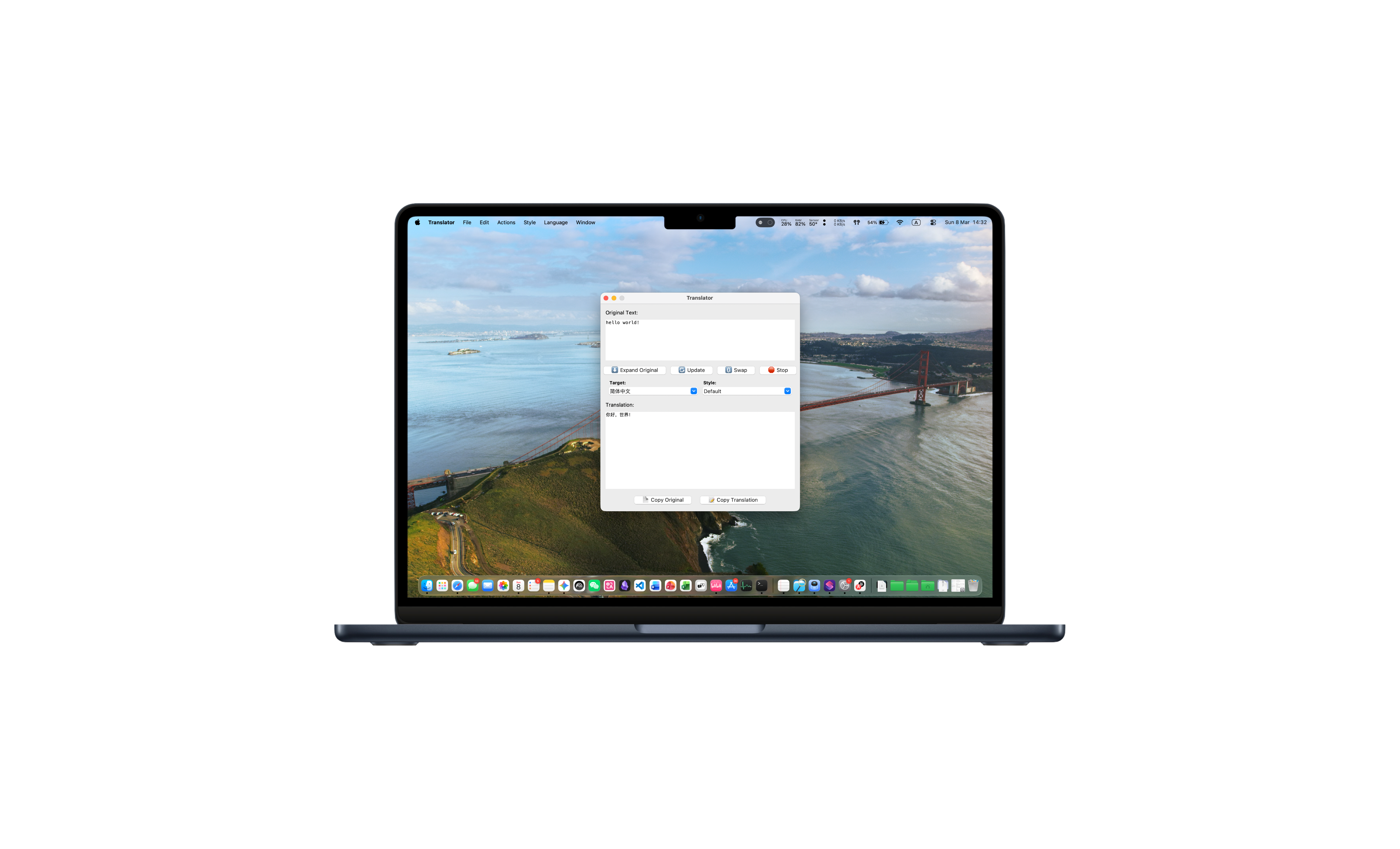
While macOS’s native translation is convenient, it often falls short when dealing with complex academic papers, creative writing, or nuanced professional documents. Meanwhile, cloud-based services like ChatGPT and DeepL offer superior quality but raise significant privacy concerns and often require expensive API keys.
To bridge this gap, I developed Mac-Lite-Translator, a high-performance, 100% local AI translation tool specifically optimized for Apple Silicon (M1, M2, M3, M4) Macs.

📺 Demo Video
See Mac-Lite-Translator in action! Watch how it handles academic translation with blazing speed:
🚀 The Core: Google Gemma + Apple MLX
The secret to its speed and accuracy lies in its modern tech stack:
- Apple MLX Framework: Unlike generic translation tools, this project is built on Apple’s dedicated machine learning framework. It fully utilizes the Unified Memory and GPU acceleration of M-series chips, delivering performance that leaves standard CPU inference in the dust.
- Gemma 12B (4-bit): Powered by Google’s state-of-the-art Gemma 12B model, fine-tuned specifically for translation.
🧐 New to AI? What is TranslateGemma?
If you’re wondering what makes this model special compared to a standard chatbot, here’s the breakdown:
TranslateGemma is a family of open models from Google, purpose-built for high-quality translation tasks.
- The Origin: It’s a fine-tuned version of Google’s powerful Gemma 2 models (built from the same tech behind Gemini).
- The Difference: While general AI models can translate, TranslateGemma has been “specialized” through training on massive amounts of professional translation data. This makes it far more reliable for complex sentence structures and natural-sounding results across 55+ languages.
- Expert Level: It understands nuances better than smaller, generic models, acting more like a professional translator than a simple word-swapper.
💡 What Makes It Unique?
1. Contextual Style Switching
Different scenarios require different tones. Mac-Lite-Translator allows you to toggle between:
- Academic Mode: Formal, precise, and perfect for research papers.
- Casual Mode: Natural and approachable for social media or blogging.
- Web Chat Mode: Quick and idiomatic for instant messaging.
2. Built-in Smart Dictionary
Translating a single word? The script automatically transitions into Dictionary Mode:
- IPA Phonetics: Accurate pronunciation (US/UK).
- Contextual Definitions: Lists meanings, synonyms, and usage.
- Example Sentences: Helps you master the word in context.
3. Native macOS Experience
Integration is key to productivity. By leveraging macOS Shortcuts and Automator, Mac-Lite-Translator feels like a part of the OS. Simply select text, right-click, and see the translation instantly.
🔒 Privacy & Performance: No Strings Attached
- 100% Offline: Your data never leaves your device. No cloud uploads, no tracking, and no privacy compromises.
- Zero Costs: No subscriptions. No API fees for OpenAI or DeepL. As long as your Mac is running, translation is free.
- Instant Response: Thanks to MLX, the 12B model responds at reading speed, making it feel snappier than many cloud alternatives.
🛠 Getting Started
This project is open-source and ready for you to explore:
- GitHub Repository: Jingyuan-Zheng/Mac-Lite-Translator_TranslateGemma
- Recommended Setup: For the best experience, an Apple Silicon Mac with at least 16GB of RAM is recommended.
Conclusion
Translation is more than just swapping words; it’s about preserving meaning and privacy. Mac-Lite-Translator brings cutting-edge generative AI to your desktop, proving that high-end productivity doesn’t have to come at the cost of your data.
If you find this tool helpful, feel free to give it a star on GitHub!