This guide explains how to request and activate a Malta eID online through Identità, including the identity document number, document number, activation email, and verification steps that are easy to mix up.
Malta eID is needed for many official online services, including services related to driving licences and other government processes. If you prefer not to handle everything in person, the online route is usually enough once you know where to look.
Who this applies to: Malta residents, permanent residents, citizens, and approved immigration applicants who are eligible for an eID.
Important: If you have already submitted Form ID 10, or you know your eID was requested but not activated, you can contact Identità directly and ask for an activation link. The official Register Residence page lists +356 25904300 and infoeid.identita@gov.mt as contact options. If you are not sure whether an eID request exists for you, follow the steps below.
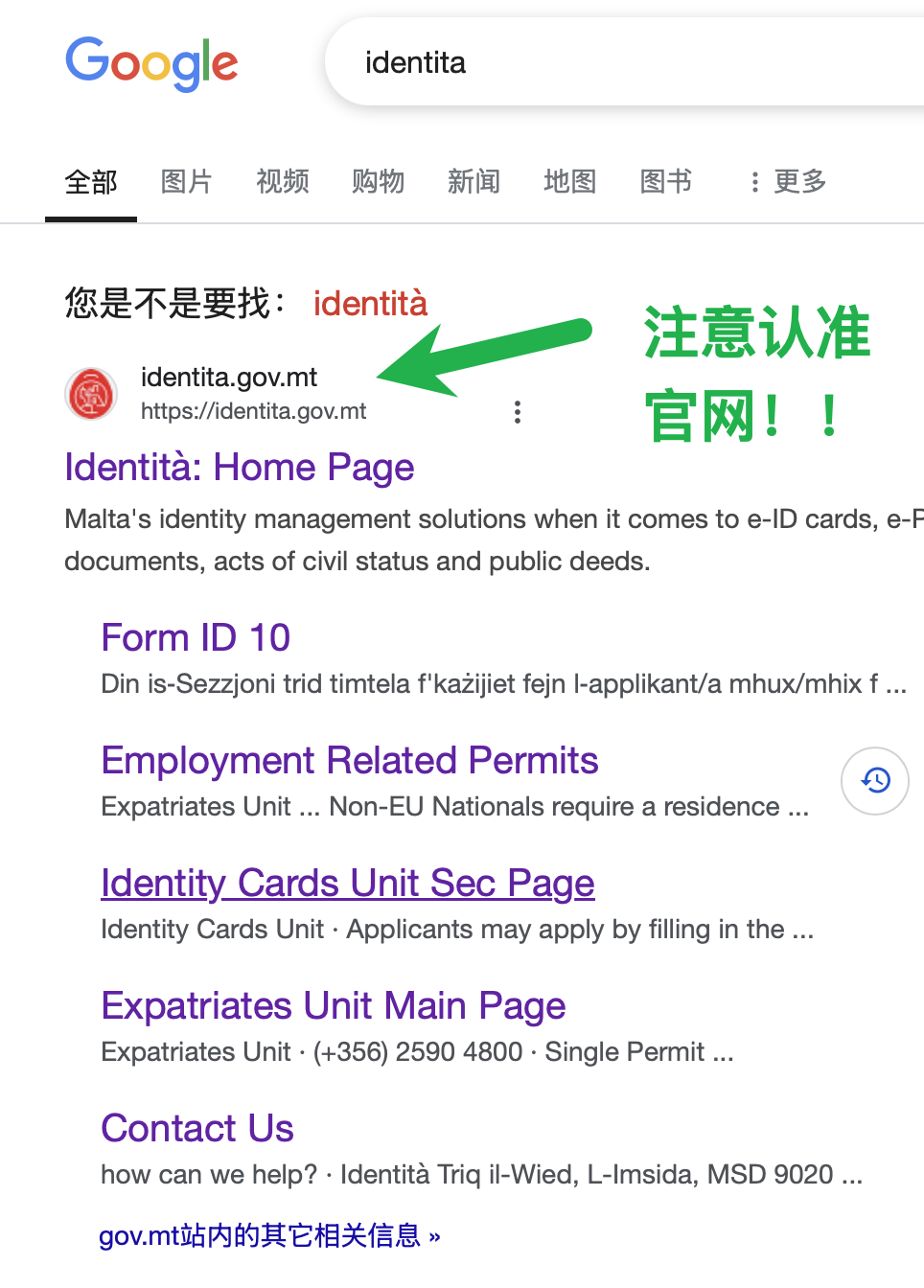
Open the Identità Website
Go to the Identità website and choose Contact Us from the homepage.
Choose the eID Support Option
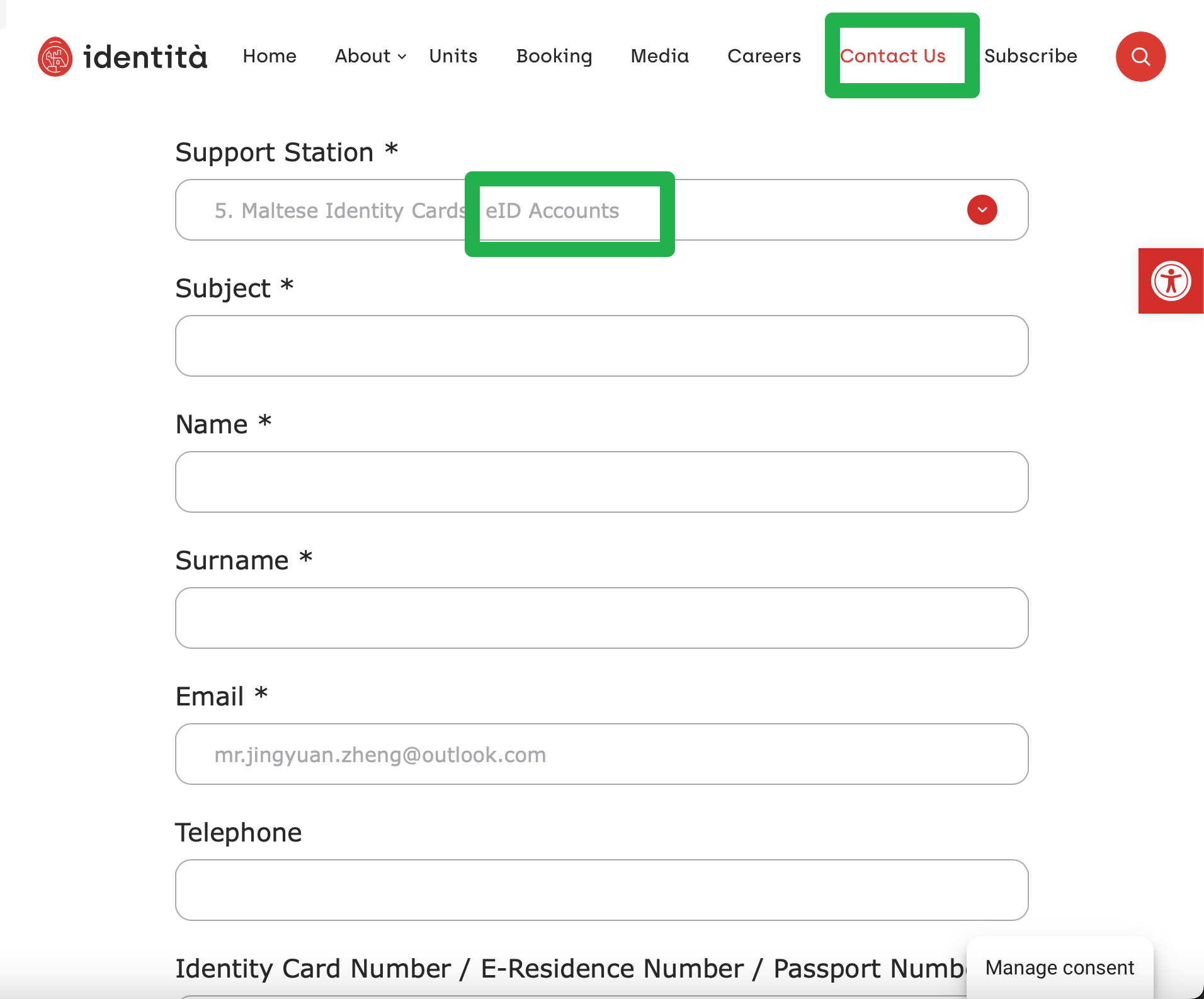
In the support form, choose the eID option under Support Station. Fill in the other fields according to your situation.
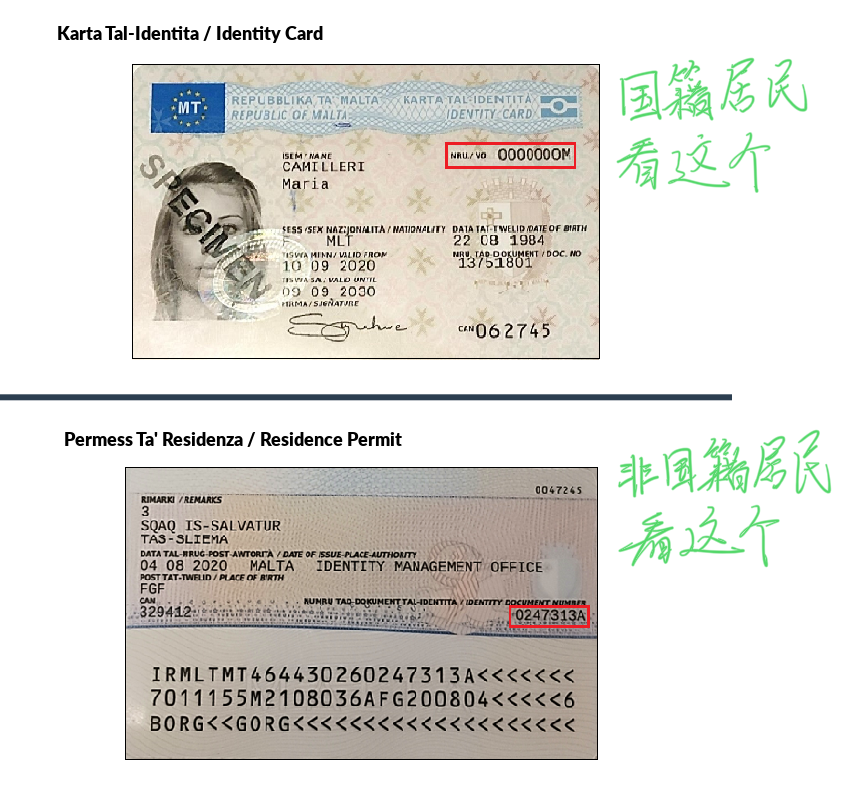
The most important field is Identity Card Number. For residence card holders, this is usually not the number on the top-right front side of the card. Look at the back of the card instead and find the number under IDENTITY DOCUMENT NUMBER (Figure 3). If you do not yet have the physical card, ask the staff which number you should use.
Wait for Identità’s Email
After submitting the form, wait for an email reply. During working hours, the response can arrive within a few minutes. The staff may ask for extra details by email; in my case, the follow-up was straightforward.
The email may also include a Customer Care link. Activating it gives you a support chat-style account, but continuing by normal email is also fine if that is easier.
Use the Activation Link
Once the staff process your request, they will send an activation link to the email address registered with your identity record.
If you do not receive it, check your spam folder and ask them to try again. If the registered email address is wrong or inaccessible, you may need to visit an office with your ID card to update the email first.
During activation, two numbers are easy to confuse:
- ID Number: use the IDENTITY DOCUMENT NUMBER from the back of the card (Figure 3).
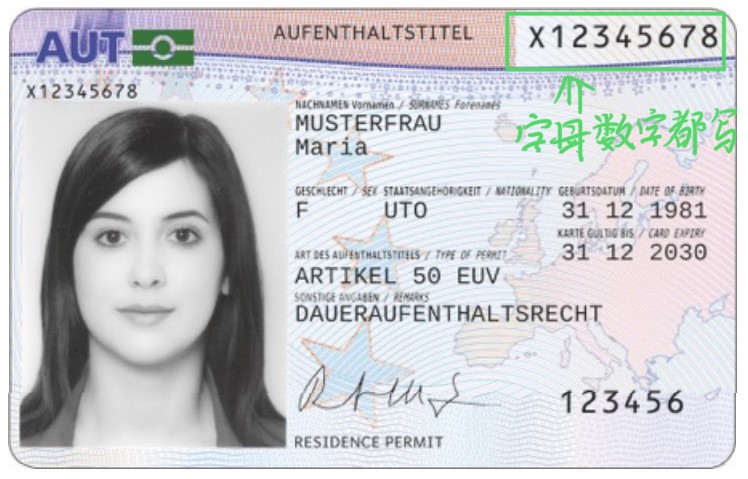
- Document No.: usually use the full alphanumeric document number printed on the top-right front side of the residence card (Figure 4), including the country-code letters.
Set Up Email and Two-Factor Verification
After activation, you can update your email address and set up two-factor verification. The website will guide you through the options.
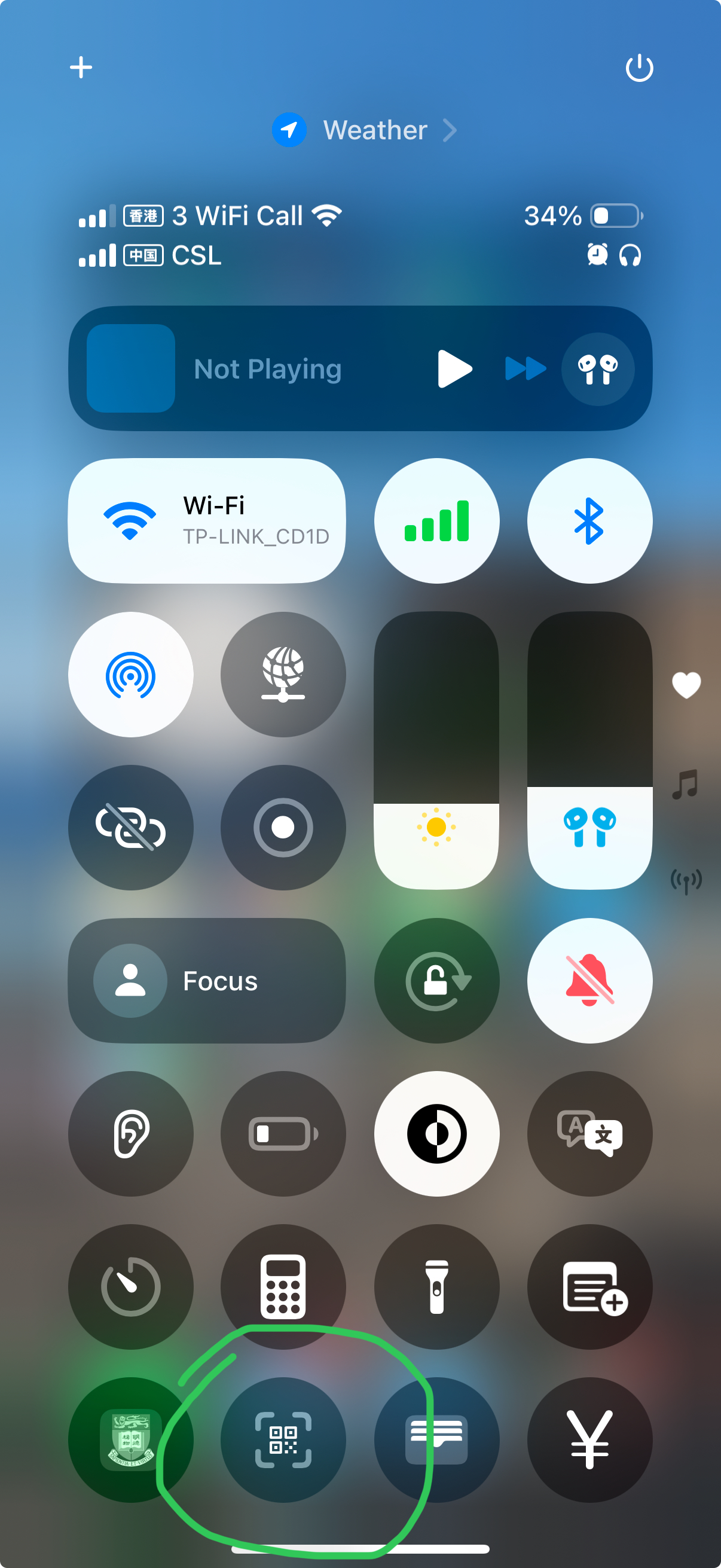
If you use an iPhone, the built-in Camera app or the system code scanner can scan the QR code directly, so you may not need to install a separate authenticator app. SMS verification is also possible if it is available for your number.
Notes
If visiting an Identità office is convenient, staff may be able to guide you through the process in person. If you prefer to handle it remotely, the online request and activation flow should work as long as the registered email address is correct and you use the right numbers from the card.
Related Posts
- After your eID is active, you may also find the Malta AI for All guide useful. That programme also uses eID login for registration and subscription claiming.