This post introduces Translate Document Quick Action, a Mac workflow that translates PDFs, Word files, Markdown, images, and audio transcripts directly from Finder.
I have open-sourced Translate Document Quick Action, a small macOS-focused tool for translating everyday documents directly from Finder, with the core translation workers kept as plain Python scripts.
The project is here: Jingyuan-Zheng/translate-document-quick-action.
Why I Built It
Translation tasks rarely arrive in one clean format. One day it is a PDF report, the next day it is a Word document, a Markdown note, a screenshot, or an audio recording that first needs a transcript.
Most tools handle one piece of that workflow. This project tries to make the common cases feel like one action: select a file in Finder, run the Quick Action, and get translated output next to the original file.
It also works from the command line, so the same workers can be used outside Finder or on non-macOS systems where the dependencies are available.
What It Supports
The current version supports:
- PDF translation through
pdf2zh-next - DOCX translation by editing Word XML in place, preserving the original package structure and media references
- Markdown translation with common Markdown structure protection
- TXT translation with line-preserving output
- Images through macOS Vision OCR or an optional
manga-image-translatoradapter - Audio and video transcripts through the MacWhisper
mwCLI, with optional transcript translation
Output files are written next to the input file and existing files are not overwritten. Monolingual outputs use a target-language suffix such as _CN.docx; bilingual outputs include both language codes, such as _EN_CN.docx.
Translation Output Examples
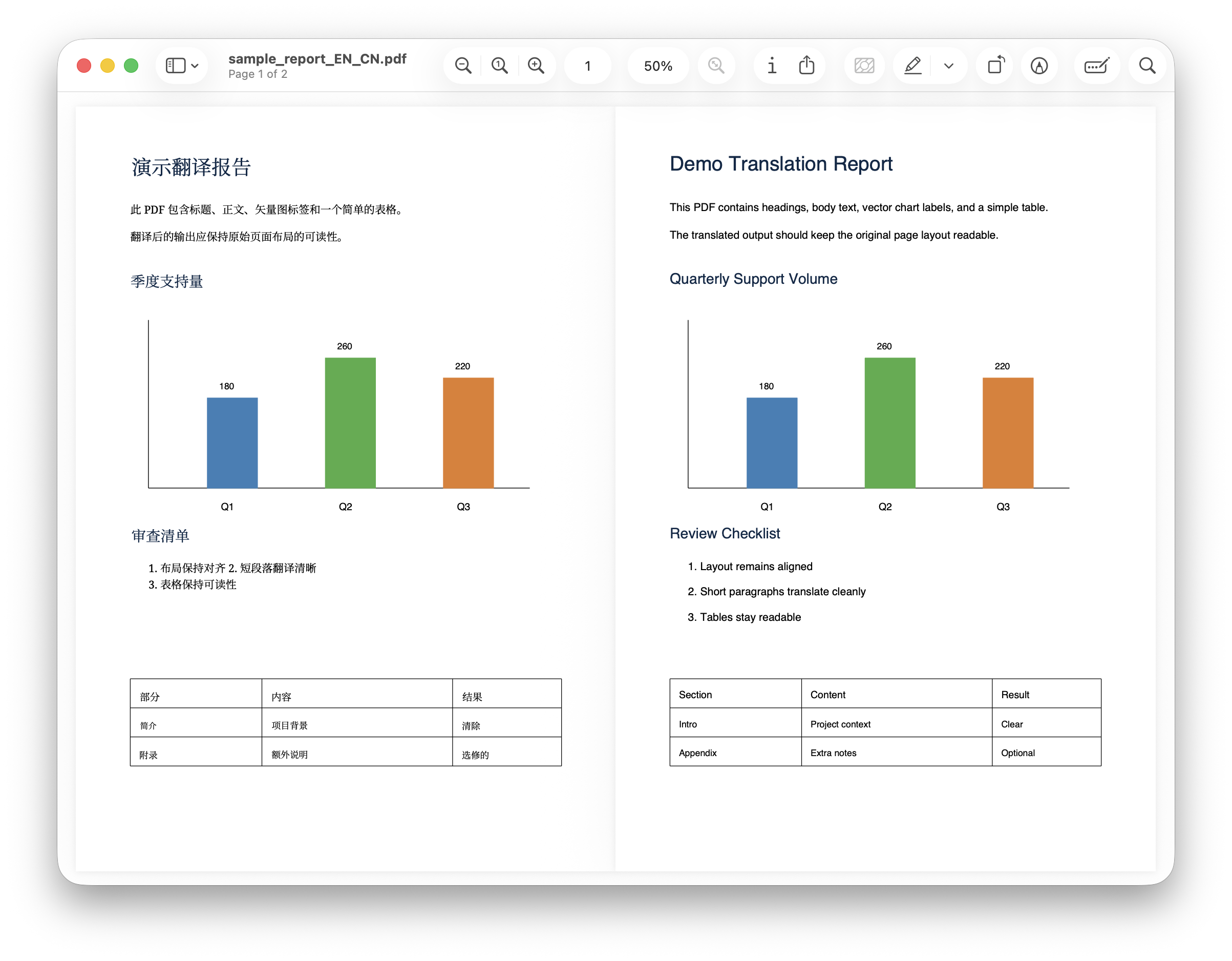
For PDFs, the bilingual output uses pdf2zh-next’s alternating-page dual PDF mode, which keeps the original page layout readable while adding the translated version.
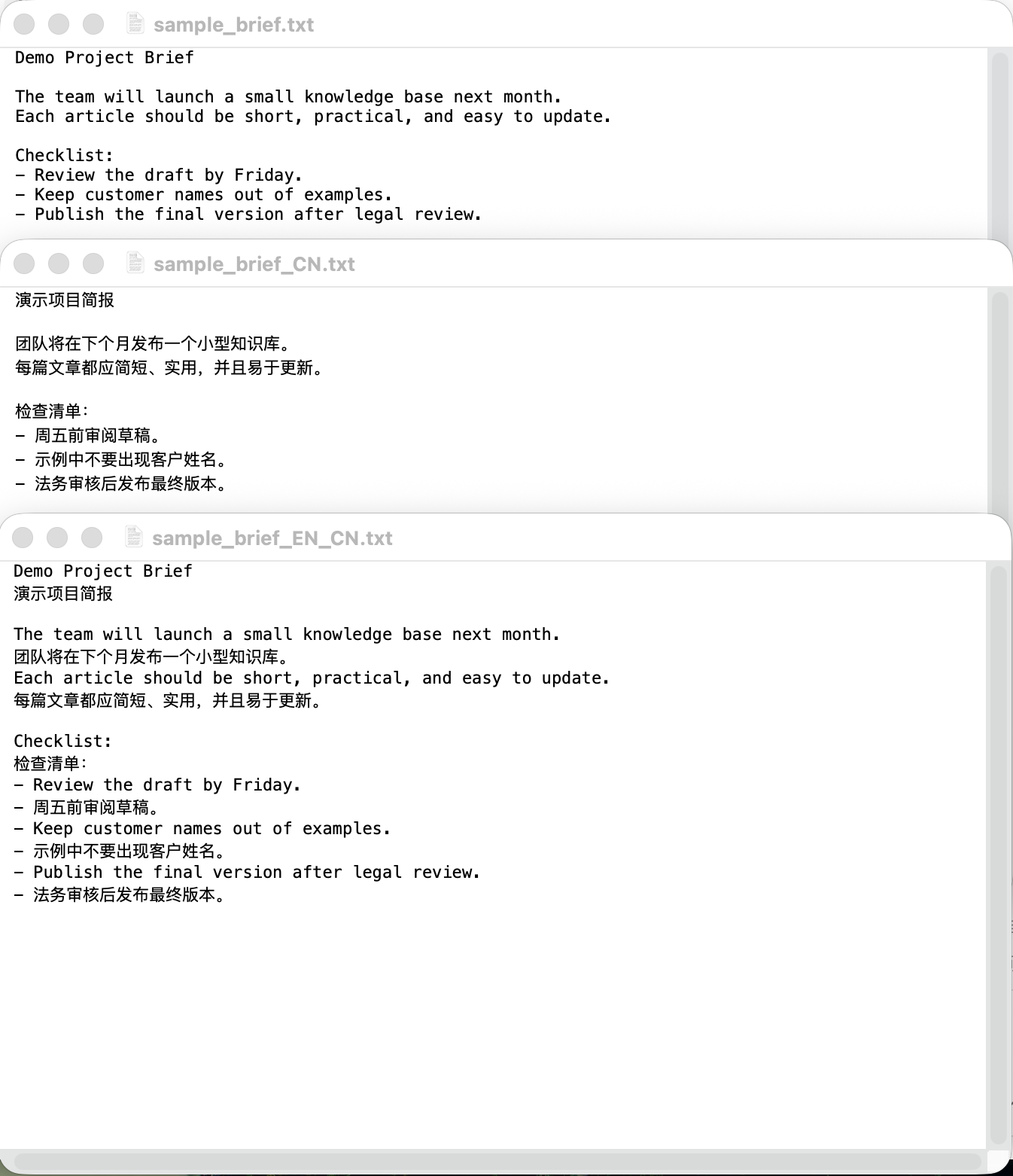
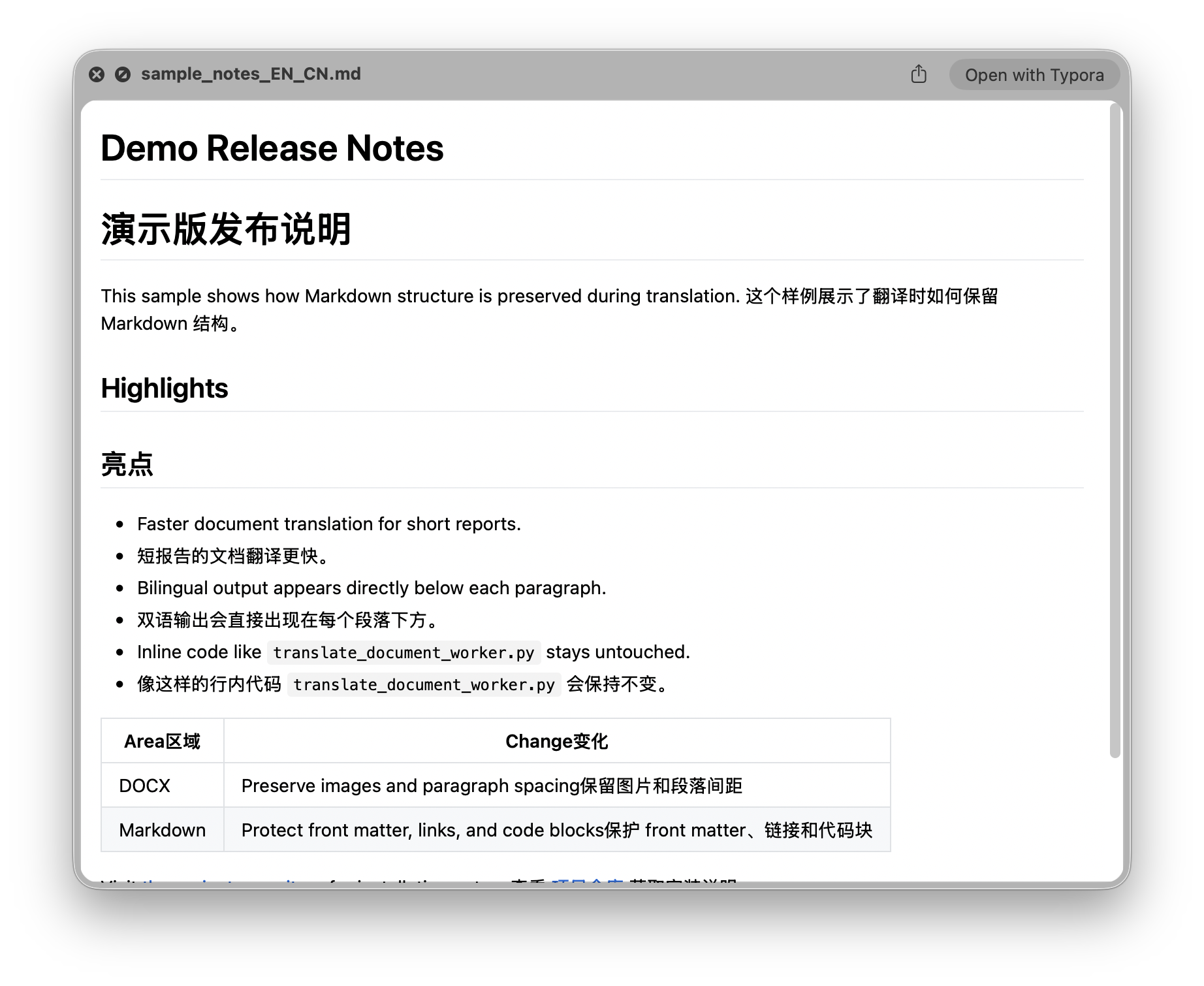
For Markdown and TXT, the bilingual output is interleaved, which is useful when reviewing paragraph-level translation quality.
DOCX translation inserts the translated paragraph after the original paragraph while preserving media and layout references where possible.
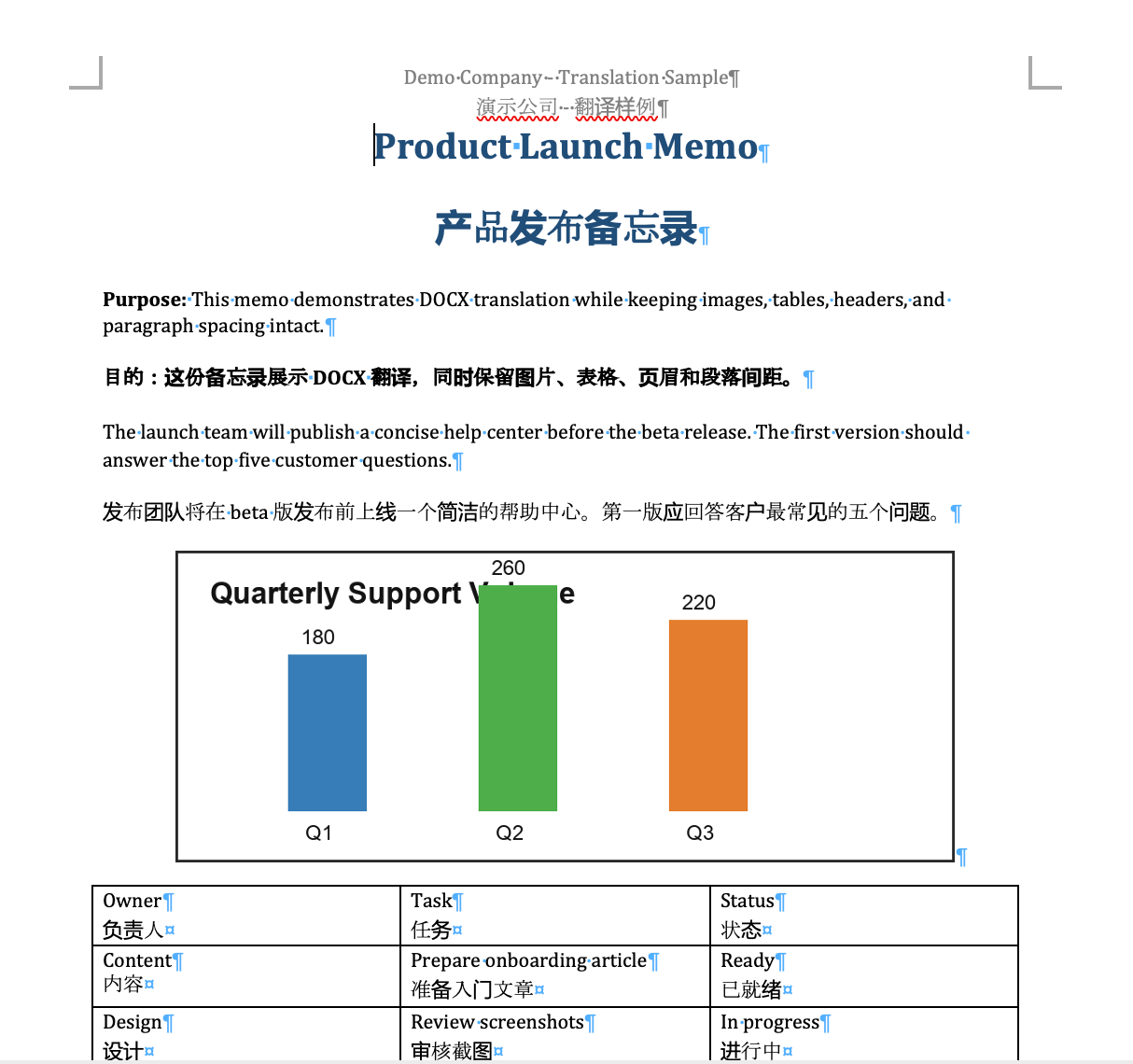
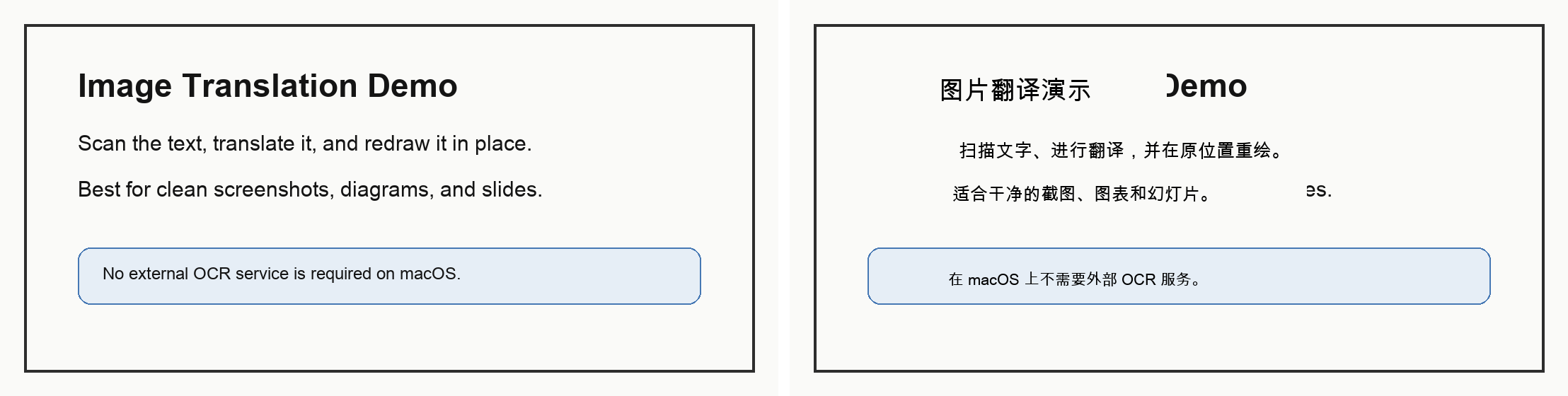
Image translation can use a lightweight macOS Vision OCR engine for clean screenshots, diagrams, and slides. It scans text, translates it, and redraws the translated text into detected boxes.
Engines and Privacy Choices
The text translation workers currently support Google and Bing web endpoints, plus a local Ollama adapter. The Google and Bing options are convenient, but they are not official paid APIs and may be rate limited or change upstream behavior.
For sensitive documents, I would use a local backend such as Ollama or replace the adapter with an official translation API. The tool is intentionally structured so the file handling and translation backend are separate concerns.
Installation
The basic setup is a Python environment:
|
|
PDF translation needs pdf2zh-next installed separately:
|
|
Finder Quick Actions can then be installed with:
|
|
CLI Examples
Translate TXT, Markdown, and DOCX:
|
|
Translate an image with the lightweight macOS Vision OCR path:
|
|
Transcribe audio or video and translate the transcript:
|
|
Practical Notes
This is a practical automation tool, not a promise that every complex document will translate perfectly.
DOCX translation covers normal body text, headers, footers, footnotes, endnotes, and comments. Very complex Word features such as SmartArt, embedded objects, equations, or unusual text boxes may need additional testing.
The lightweight simple-macos image engine is best for clean screenshots, slides, and diagrams. It is not AI inpainting. For manga or complex backgrounds, the optional manga-image-translator adapter is a better fit.
If your daily translation work jumps between PDFs, Word documents, Markdown notes, screenshots, and recordings, this project gives you one place to start instead of a pile of one-off scripts.
Related Posts
- For fully local AI text translation on Apple Silicon, see Mac-Lite-Translator.
- For multilingual typing and academic symbols on macOS, see ABC Custom Keyboard.